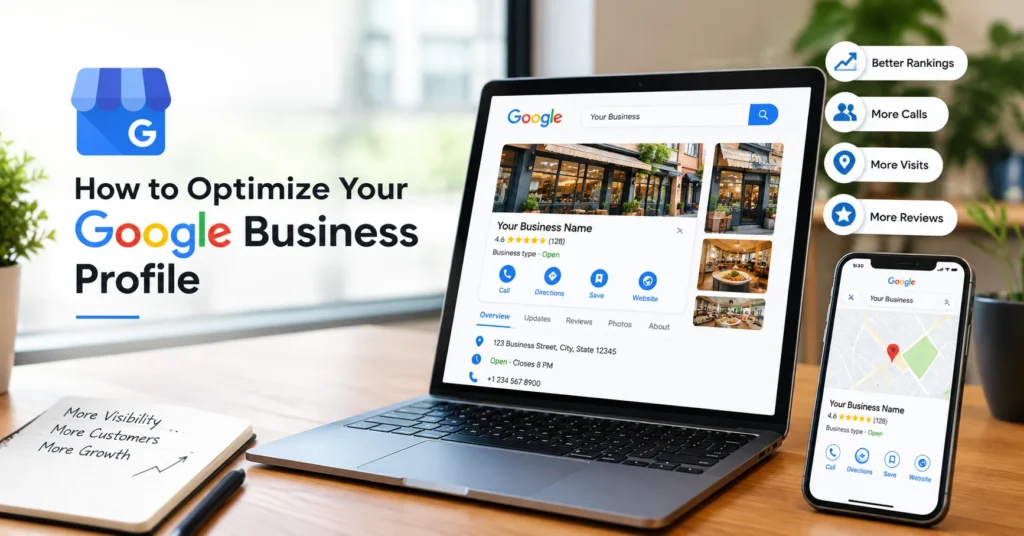
If you run a local business, your Google Business Profile (GBP) is more than just an online business listing.
It can be the first thing a potential customer sees when they search for your business, service, product, or something “near me.”
Think about it.
A customer searches:
“dentist near me”
“best digital marketing agency in [city]”
“plumber near me”
“Italian restaurant near me”
Before visiting your website, they may see your Google Business Profile with your reviews, photos, opening hours, services, location, posts, and contact information.
That means your GBP needs to do two jobs:
- Help Google understand your business.
- Help real customers trust your business.
And in 2026, there is another reason to take GBP seriously: local business information is increasingly being used across Google’s search ecosystem and AI-powered experiences.
So, how do you optimize a Google Business Profile like a professional?
Let’s break it down.
Talk to Our Experts for Free for Your GBP Issues
What Is a Google Business Profile?
A Google Business Profile (GBP) is Google’s free business listing that allows businesses to control important information displayed on Google Search and Google Maps.
Depending on your business type, customers can see:
- Business name
- Primary category
- Address
- Service area
- Phone number
- Website
- Opening hours
- Services
- Products
- Photos and videos
- Customer reviews
- Business description
- Posts
- Attributes
- Social media links
A properly optimized profile makes it easier for Google and potential customers to understand who you are, what you offer, and where you operate.
Why Is GBP Optimization Important for Local SEO?
Google says local search results are mainly influenced by relevance, distance, and prominence.
In simple words:
Relevance: Does your business match what the person searched for?
Distance: How close is your business to the searcher or the location they’re searching around?
Prominence: How well-known and established is your business online?
You cannot completely control distance, but you can improve the information Google uses to understand your business and strengthen your overall local presence.
That’s where GBP optimization comes in.
Did You Know?
“According to a 2026 analysis published by Neil Patel’s team, only 11% of the local businesses they analyzed described their Google Business Profile as fully optimized.”
The study looked at 400 Google Business Profiles and surveyed 150 local businesses.
That tells us something important:
Simply creating a GBP isn’t the same as optimizing it.
Many businesses claim their profile, enter a phone number and address, upload a logo, and then forget about it.
Don’t be one of them.
1. Choose the Right Primary Business Category
Your primary category is one of the most important parts of your GBP.
It tells Google what your business is.
For example:
- Dentist
- Digital marketing agency
- Plumber
- Restaurant
- Real estate agency
- Auto repair shop
- Clothing store
Don’t choose a category simply because you think it has a popular keyword.
Choose the category that most accurately represents your core business.
Google itself recommends selecting the most specific category that accurately represents your main business.
Pro Tip
Ask yourself:
“If I had to describe my entire business using one category, what would it be?”
That should guide your primary category.
You can also add relevant secondary categories when appropriate.
But don’t add every category you can find.
More categories do not automatically mean better rankings.
2. Keep Your Business Name Clean
This is where many businesses make a serious mistake.
Suppose your real business name is:
Don’t change it to:
Quick Webo – Best Digital Marketing Agency & SEO Company in Chandigarh
just because you want to rank for those keywords.
Your GBP name should represent your real-world business name.
Keyword stuffing in the business name can create trust problems and may violate Google’s guidelines.
Remember:
Brand name ≠ keyword list
Keep it natural.
3. Write a Useful Business Description
Your GBP description should explain your business to a human—not just a search engine.
A good description should answer:
- What do you do?
- Who do you help?
- What services do you provide?
- Where do you operate?
- What makes your business different?
- How long have you been in business?
For example:
Quick Webo is a results-driven digital marketing agency helping businesses improve their online visibility through SEO, social media marketing, paid advertising, website development, and other digital growth solutions.
Notice that the description is informative without stuffing keywords everywhere.
Google allows up to 750 characters in the Business Profile description.
Don’t waste those characters repeating the same keyword.
4. Add Every Relevant Service
If your business provides services, don’t leave the Services section empty.
Add your important services individually.
For example, a digital marketing agency might include:
- SEO
- Local SEO
- Technical SEO
- Google Ads
- Meta Ads
- Social Media Marketing
- Website Development
- E-commerce Development
- AEO
- GEO
Google allows eligible businesses to add services, descriptions, and, where applicable, prices.
This creates another useful layer of information for both customers and Google’s systems. If you are not able to add proper services then you can copy it from your competitors. If you don’t know how to copy it, will write another article about that in future.
AEO Tip
Write your services in the same language your customers use.
Instead of:
“Organic Search Optimization Solutions”
you may want:
“Local SEO Services”
if that’s what customers actually search for.
Clear language is better than complicated marketing language.
5. Complete Every Important Profile Field
An incomplete GBP sends an incomplete message.
Review your profile and make sure the important information is accurate.
Check:
☑ Business name
☑ Primary category
☑ Secondary categories
☑ Address
☑ Service area
☑ Phone number
☑ Website
☑ Opening hours
☑ Holiday/special hours
☑ Services
☑ Attributes
☑ Business description
☑ Photos
☑ Videos
☑ Products, if applicable
☑ Social links, where available
Google recommends keeping business information complete and accurate because it helps customers understand what the business does and when and where they can visit.
6. Optimize Your Service Area Correctly
If you are a service-area business, don’t simply add every city you want to rank in.
Your service area should represent the areas you actually serve.
For example, a local plumber based in Ludhiana might serve:
- Ludhiana
- Khanna
- Mandi Gobindgarh
if those are genuinely within the company’s service area.
Don’t create fake locations just to manipulate local rankings.
Important:
A virtual office is not a substitute for a legitimate business location.
Google has specific rules for storefront and service-area businesses.
Follow the actual business situation rather than trying to make the profile look bigger than it is.
7. Add High-Quality Real Photos
Photos are often underestimated.
Your customers want to see the real business.
Depending on your business, consider uploading:
For a physical store
- Exterior
- Interior
- Entrance
- Products
- Team
- Facilities
- Work environment
For a service business
- Team members
- Work in progress
- Completed projects
- Equipment
- Before-and-after work
- Customer-facing areas
For restaurants
- Popular dishes
- Dining area
- Kitchen
- Exterior
- Team
- Menu items
Google recommends clear, well-lit images that accurately represent the business.
Avoid making everything look artificially perfect.
Real beats fake.
8. Don’t Ignore Your Logo and Cover Photo
Your logo helps customers recognize your business.
Your cover photo should communicate what your business actually looks like or what you offer.
But remember:
Uploading a cover photo doesn’t guarantee that Google will always display that exact image first.
Google may use other images based on its systems and available information.
So instead of obsessing over one cover image, build a strong overall photo library.
9. Get Reviews the Right Way
Reviews are one of the biggest trust signals for local businesses.
But don’t just chase five-star ratings.
Focus on getting genuine customer feedback.
A good review might naturally mention:
- The service purchased
- The customer’s experience
- Location
- Staff/service quality
- Specific product
- Problem solved
For example:
“We hired Quick Webo for local SEO and our website optimization. The team was responsive and explained the process clearly.”
That’s much more useful than:
“Best company!!! 5 stars!!!”
Never Buy Reviews
Don’t purchase fake reviews.
Don’t create reviews yourself.
Don’t ask employees to pretend to be customers.
Don’t offer customers incentives in exchange for positive reviews.
A strong reputation is built through real customer experiences.
10. Respond to Every Review
Don’t treat reviews as a one-way communication channel.
Respond to them.
For positive reviews:
Thank the customer and mention something relevant from their feedback.
For negative reviews:
Stay professional, acknowledge the concern, and try to move the conversation toward a resolution.
Avoid copy-pasting the same response 100 times.
Instead of:
“Thank you for your valuable feedback.”
Try:
“Thank you, Rahul. We’re glad our team could help with your website redesign. We appreciate you taking the time to share your experience.”
It feels human.
And that’s the point.
11. Use Google Posts Strategically
Google Business Profile allows eligible businesses to publish posts such as:
- Updates
- Offers
- Events
You can use these posts to communicate useful information directly through your Business Profile.
For example, a dental clinic could publish:
“5 Things to Know Before Getting a Dental Implant”
A restaurant could post:
“Our New Weekend Menu Is Now Available”
A digital agency could publish:
“5 Local SEO Mistakes Small Businesses Should Avoid”
Don’t turn every post into:
“BUY NOW!!! CALL US!!! BEST SERVICE!!!”
Educate first.
Sell second.
12. Create Content Around Real Customer Questions
This is where AEO (Answer Engine Optimization) becomes important.
People don’t always search using short keywords anymore.
They ask complete questions.
For example:
Instead of:
“dentist Ludhiana”
someone might ask:
“Where can I find an emergency dentist in Ludhiana?”
Instead of:
“SEO agency”
someone might ask:
“Who provides affordable SEO services for small businesses?”
Your GBP, website, services, FAQs, reviews, and content should collectively answer these types of questions.
AEO Strategy
Build content around:
- What
- Why
- How
- Where
- When
- Cost
- Benefits
- Comparison
- Location
This makes your content more useful for traditional search as well as conversational search.
13. Think About GEO: Generative Engine Optimization
GEO is about making your business information easier for AI-powered search and answer systems to understand and use.
This doesn’t mean stuffing your GBP with AI keywords.
Instead, focus on clear, consistent and verifiable information.
Make sure your:
- Business name
- Address
- Phone number
- Website
- Services
- Business description
- Reviews
- Local citations
- Website content
- Social profiles
tell the same story.
For example, if your GBP says:
“Web design company in Chandigarh”
but your website says:
“Digital marketing agency in Mohali”
and another directory says:
“IT company in Panchkula,”
you are creating unnecessary confusion.
Consistency matters.
14. Build Local Authority Outside GBP
Your GBP doesn’t exist in isolation.
Your website and other online mentions can support your local presence.
Work on:
- Local business directories
- Industry directories
- Local news websites
- Relevant associations
- Local partnerships
- Community websites
- Genuine local backlinks
- Social profiles
- Your own website
Think of it as building a digital footprint around your business.
Google says prominence can be influenced by information such as links to a business and the number of reviews it has.
15. Create Local SEO Content on Your Website
Your GBP and website should work together.
If you’re a dentist in Calgary, don’t only create a homepage.
Create useful pages such as:
- Family Dentist in Calgary
- Emergency Dental Care
- Dental Implants
- Teeth Whitening
- Root Canal Treatment
- Dental Fillings
Then support these pages with useful FAQs and locally relevant information.
This creates stronger topical relevance.
Simple rule:
GBP tells Google what your business is.
Your website explains your expertise in greater depth.
16. Use FAQs for AEO
Frequently asked questions are excellent for answering real customer concerns.
Examples:
How much does local SEO cost?
Pricing depends on the business, competition, location, and scope of work.
How long does local SEO take?
Local SEO is an ongoing process. Businesses may see improvements at different speeds depending on competition, website quality, authority, and the starting condition of the profile.
Can a service-area business have a Google Business Profile?
Yes, eligible service-area businesses can have a Business Profile, provided they meet Google’s requirements.
The key is to give a useful, direct answer.
Don’t write 500 words when 50 words will answer the question properly.
17. Keep Your NAP Information Consistent
NAP means:
Name + Address + Phone
Your important business information should be consistent across the web.
Check:
- GBP
- Website
- Bing
- Apple Maps
- Local directories
- Social media
- Industry directories
Even small inconsistencies can create unnecessary confusion.
For example:
ABC Digital Pvt. Ltd.
versus
ABC Digital Private Limited
may be perfectly explainable in some situations, but your business should maintain a clear and consistent identity wherever possible.
18. Don’t Stuff Keywords Into Your GBP
This deserves special attention.
A few years ago, some businesses tried to put keywords everywhere:
“Best Dentist in Ludhiana | Affordable Dentist | Dental Clinic Ludhiana | Teeth Whitening Ludhiana”
Don’t do this.
Google specifically requires businesses to accurately represent themselves.
Your business name should be your actual business name.
Your categories should accurately describe the business.
Your description should be useful and natural.
Your services should be real.
Your reviews should be genuine.
Optimization does not mean manipulation.
19. Watch Your GBP for Google-Made Changes
Here’s an important update many business owners don’t know about.
Google can receive information from multiple sources, including users and other sources, and may update Business Profile information.
That means you shouldn’t assume that:
“I filled it in once, so I’m finished.”
Check your profile regularly.
Google’s current guidance says some suggested edits may require your review, while other changes can be applied automatically.
So, if your business information suddenly changes, investigate it.
Latest Google Business Profile Update You Should Know About in 2026
Google has been increasing its efforts to protect businesses and improve the accuracy of information on Maps.
In April 2026, Google announced new measures to fight fake reviews, scams, fake Business Profiles and inaccurate edits.
Google reported that in 2025 its systems and analysts:
- Blocked or removed more than 292 million policy-violating reviews
- Blocked 79 million inaccurate or unverified edits
- Removed more than 13 million fake Business Profiles
Google also introduced proactive email alerts for verified and active business owners so they can review important suggested edits before they go live.
This is a good reminder:
GBP management is not a “set it and forget it” task.
Monitor your profile.
Another Important 2026 Development: AI and GBP
Google is also bringing Business Profile functionality into its Gemini ecosystem.
In 2026, Google announced a Business Profile connection and Business notebooks for Gemini, giving businesses new ways to work with information such as reviews, customer questions and performance data.
This is another reason to keep your business information clean, accurate and useful.
The future of local search isn’t only about ten blue links.
People increasingly ask search engines and AI systems complete questions and expect direct answers.
Your business information needs to be understandable by both humans and machines.
Neil Patel’s Advice on Local SEO
Neil Patel has repeatedly emphasized the importance of Google Business Profile for local search.
In his updated local SEO guide, Patel describes the GBP as a key part of local search visibility and recommends claiming and fully completing the profile.
One particularly useful idea from his approach is simple:
Don’t treat GBP like a directory listing. Treat it as part of your local marketing strategy.
That mindset changes everything.
Instead of creating a profile once and forgetting about it, you continually improve:
- Information
- Reviews
- Photos
- Services
- Content
- Local authority
- Customer experience
The Professional GBP Optimization Checklist
Before you say your GBP is fully optimized, check this list.
Talk to Our Experts for Free for Your GBP Issues
How Often Should You Optimize Your GBP?
You don’t necessarily need to change everything every day.
Instead, create a simple maintenance routine.
Weekly
- Check new reviews
- Respond to reviews
- Check profile changes
- Add useful photos when available
- Publish relevant content when appropriate
Monthly
- Review services
- Check business information
- Review photos
- Check competitors
- Look at GBP performance data
- Identify new customer questions
Quarterly
- Complete a full GBP audit
- Review categories
- Check local citations
- Review website/GBP consistency
- Check for duplicate listings
- Review local rankings and conversions
Final Thoughts
Google Business Profile optimization isn’t about finding one secret trick that suddenly puts your business at the top of Google.
It’s about getting the fundamentals right and maintaining them consistently.
Your business name should be accurate.
Your category should be relevant.
Your services should be clear.
Your photos should be real.
Your reviews should come from real customers.
Your website should support your local expertise.
And your business information should remain consistent across the web.
Most importantly, optimize for people first and search engines second.
When Google can clearly understand your business—and customers can quickly understand why they should contact you—you’ve built a much stronger local search presence.
That’s what professional GBP optimization really looks like.

Experts
on a Call
We’ll guide you through how to improve
and optimize your Google Business Profile.
Get your GBP optimized for free and receive
1 month of GBP management at no cost.